Why QR Codes and NFC Tags Work?
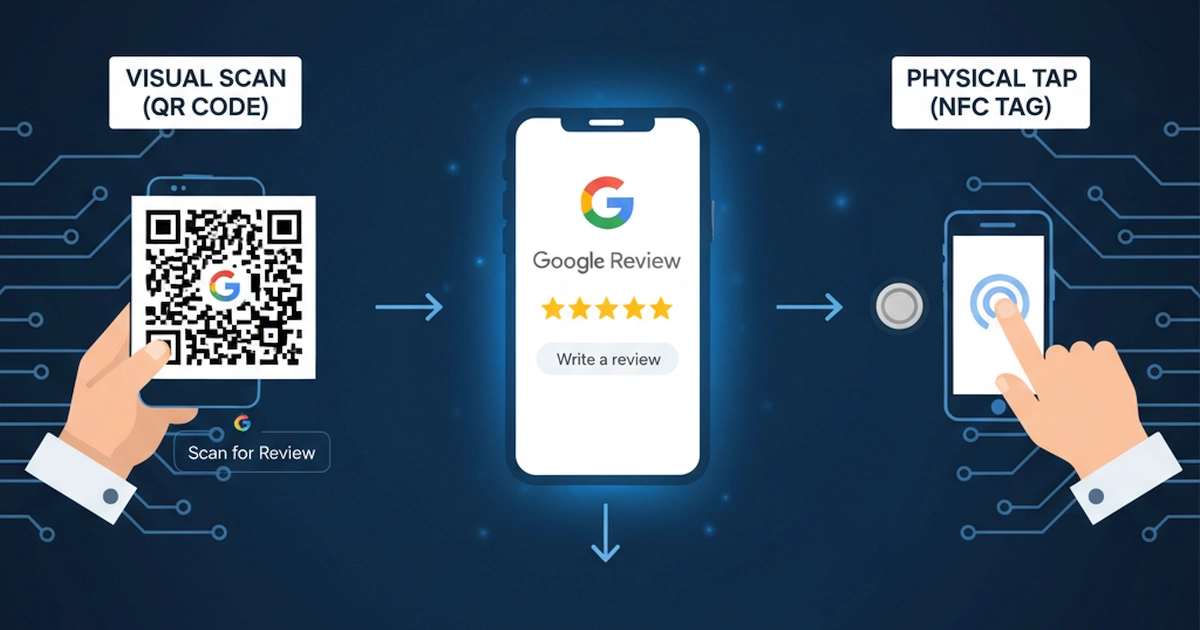
Both QR codes and NFC (Near Field Communication) tags offer quick, contactless access to your Google Review page. Whether your customer is dining at your café, shopping at your store, or finishing a service appointment, they can leave a review in seconds - no typing, no searching.
QR Codes: Scan with any smartphone camera or app. Place them on receipts, table tents, packaging, or business cards.
NFC Tags: Tap a smartphone to the tag. Great for high-traffic areas like checkout counters or service desks.
The result? Higher review volume, fresher feedback and stronger local search rankings - all with minimal effort on your part.
How to Set it Up in 3 Simple Steps
- Create Your Google Review Link
Use a direct Google Review link. You can generate this via your Google Business Profile.
- Generate Your QR Code and Program NFC Tag
Use free tools like BeloMarketing QR Code Generator and NFC Tools app to link your Google Review URL. Customize QR codes with your brand colors to make them more appealing.
- Place it Where it's Seen (and Used!)
Think strategically:
QR codes on receipts, packaging, or email signatures.
NFC tags embedded in tabletop stands, loyalty cards, or product displays.
💡 Bonus Tip:
Add a friendly call-to-action like: "Love us? Tap to leave a review!" to encourage action.
QR Codes vs. NFC Tags: Which Is Better?
| Feature | QR Codes | NFC Tags |
|---|---|---|
| Activation | Scan with camera | Tap phone to tag |
| Device Compatibility | All smartphones | Most modern smartphones (Android & iPhone) |
| Setup Cost | Free (BeloMarketing QR) | Low cost (depending on the tag type) |
| Best For | Receipts, emails, print marketing | In-store kiosks, high-touch points |
| User Experience | Simple, visual, widely understood | Seamless, instant, no app needed |
Both options are effective - choose based on your customer base and environment. Many businesses use both (QR codes and NFC tags) for maximum reach.
Make It a Habit, Not a Hassle
The key to success? Consistency. Make leaving a review part of the customer journey - just like saying "thank you". Train your team to gently remind customers: "We'd love your feedback - just tap or scan to leave a quick Google review!".
Over time, you'll see not only more reviews but also improved local search rankings and customer trust. And remember: every review, positive or constructive, is an opportunity to engage and grow.
Final Thoughts
The best way to get Google Reviews using QR codes and NFC tags isn't just about technology - it's about making kindness easy. When you remove barriers, your happiest customers will speak up. And their voices can make all the difference.
Start today. Generate a QR code. Stick an NFC tag.
Watch your reputation grow - one tap at a time.